What is Azure AI Foundry? A Beginner's Complete Guide (2026)

skilltech club
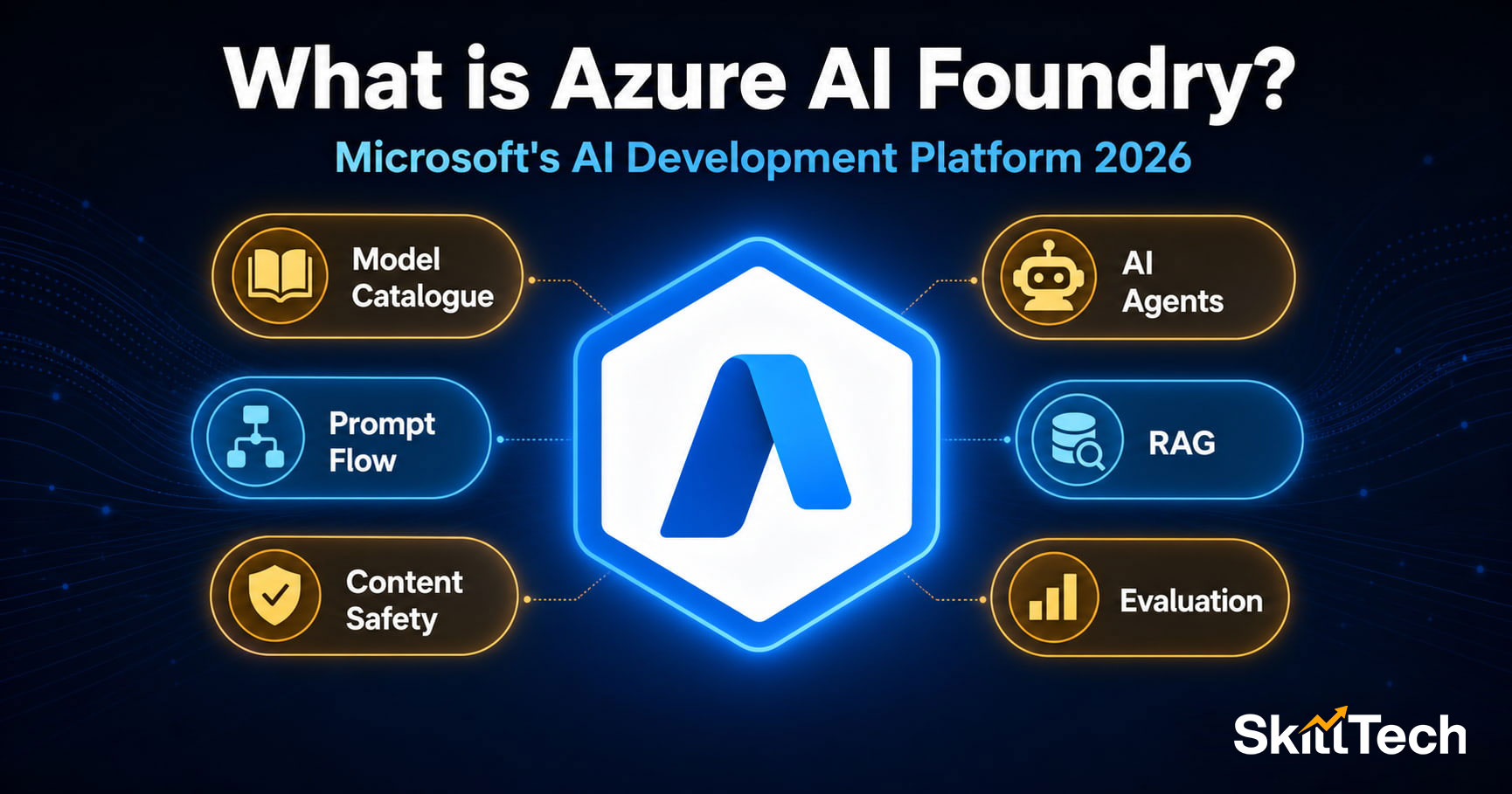
Quick answer: Azure AI Foundry is Microsoft's unified platform for building, testing, and deploying AI applications. It brings together Azure OpenAI Service, Azure AI Search, model management, prompt flow, and AI evaluation tools under one interface. It is the central platform tested in both the AI-901 and AI-103 exams and is the tool professional AI developers use in 2026.
Why Azure AI Foundry matters right now
If you have been reading about Azure AI certifications lately, you have probably noticed that Azure AI Foundry appears in almost every article. It is in AI-901. It is the most important topic in AI-103. It powers Microsoft Copilot. Employers are asking for it in job descriptions.
Yet most beginner guides do not explain it well. This article covers what Azure AI Foundry actually is, what you can do with it, and why it matters — in plain language, without assuming you already know Azure.
What is Azure AI Foundry?
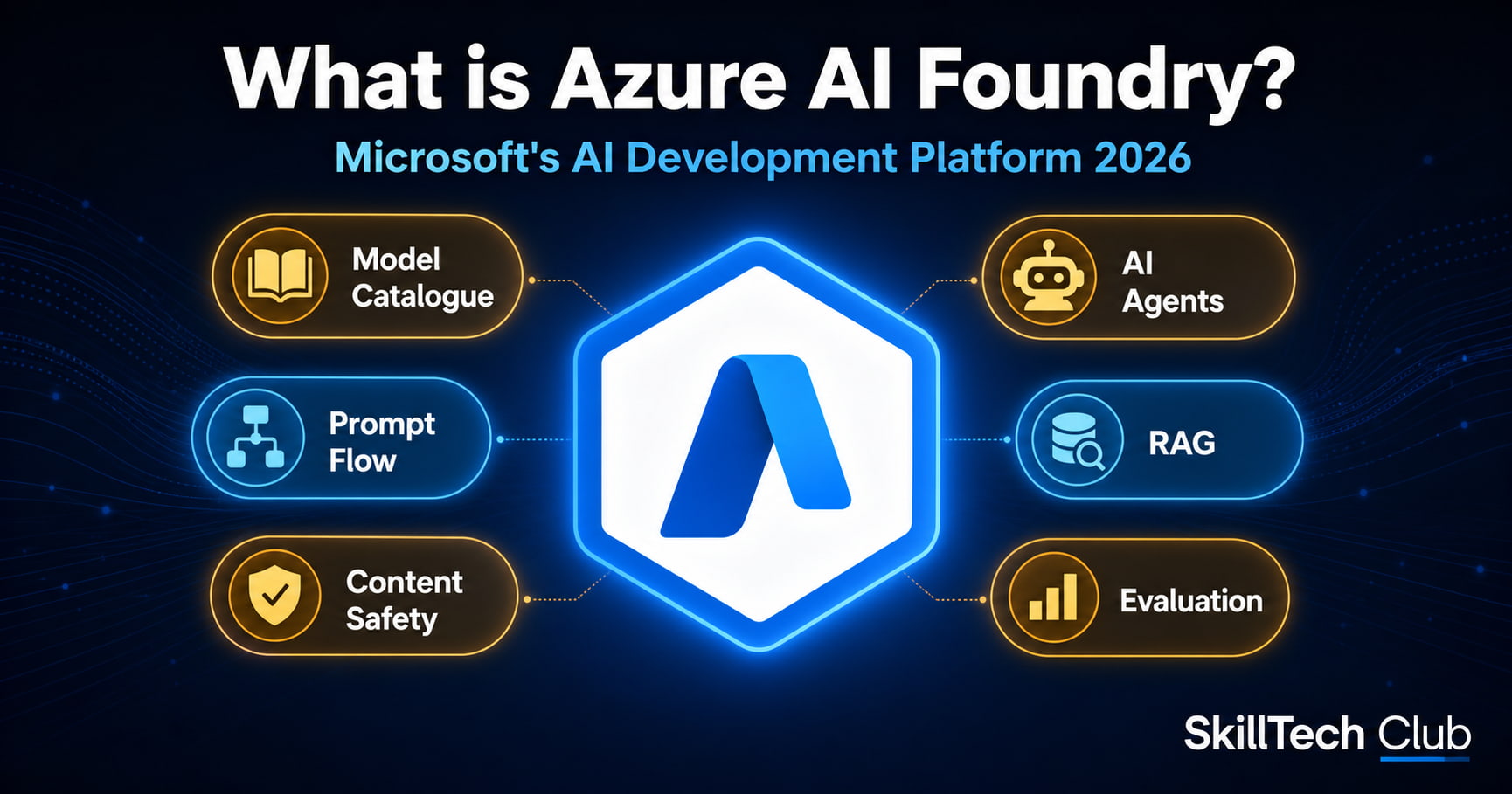
Azure AI Foundry — previously known as Azure AI Studio — is Microsoft's central platform for building AI-powered applications on Azure. Think of it as a workbench: you go to Azure AI Foundry when you want to build something with AI, whether that is a chatbot, a document processing system, an AI agent, or a full application powered by large language models.
Before Azure AI Foundry existed, building an AI application on Azure meant jumping between multiple separate services — Azure OpenAI Service, Azure AI Search, Azure Machine Learning, Azure Container Apps, and others. Azure AI Foundry brings all of these together in one unified experience.
What was Azure AI Studio? Is it the same thing?
Yes — Azure AI Foundry is the renamed and expanded version of Azure AI Studio. Microsoft rebranded it in late 2024 and added significant new capabilities around AI agents, multi-agent orchestration, and enterprise governance. If you see tutorials or documentation that mentions "Azure AI Studio", those references now point to Azure AI Foundry.
For the AI-901 and AI-103 exams, Microsoft uses the name Azure AI Foundry — that is what you will see in exam questions.
What can you build with Azure AI Foundry?
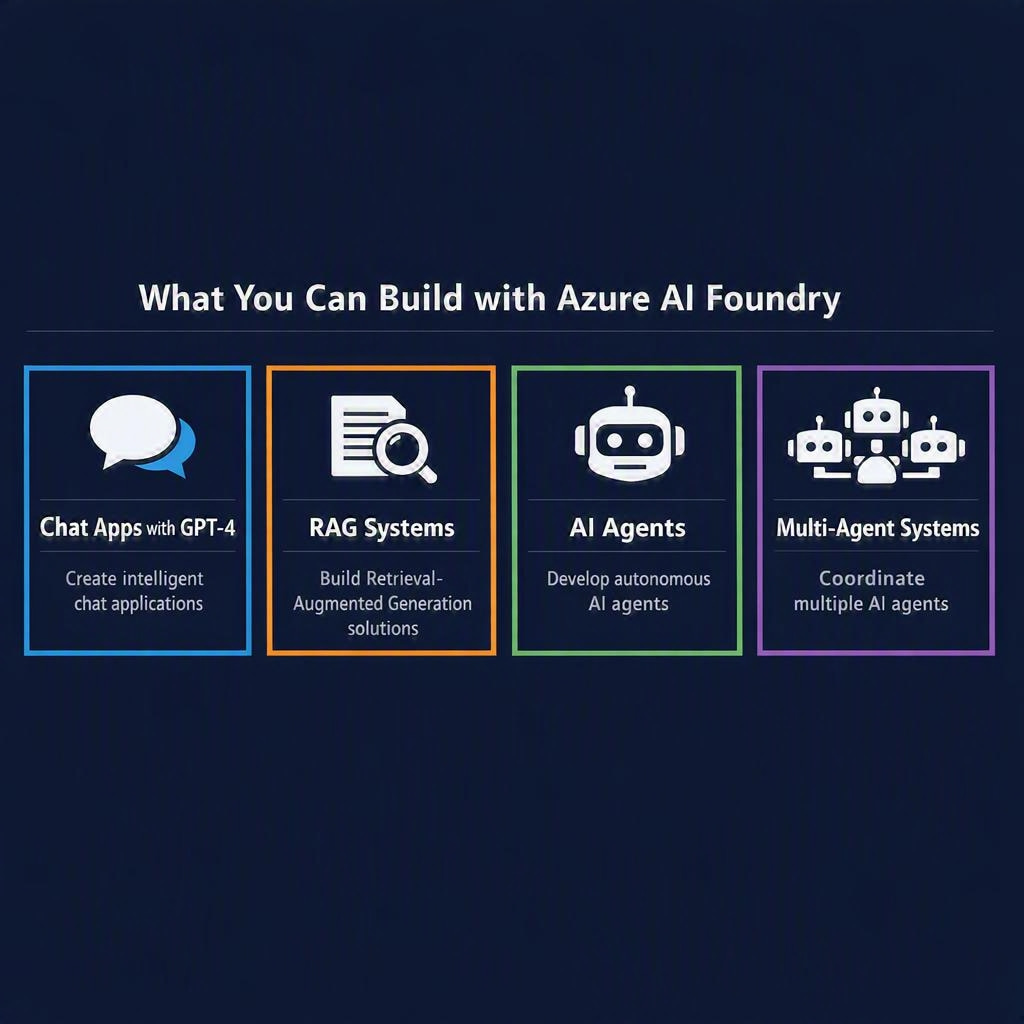
Here are the most common things developers build in Azure AI Foundry:
1. Chat applications powered by GPT-4
You can deploy GPT-4, GPT-4o, or other OpenAI models to your Azure subscription and build chat interfaces, customer support bots, internal knowledge assistants, or content generation tools. The model runs in your own Azure environment — private, secure, and compliant.
2. RAG systems (your documents + AI)
RAG stands for Retrieval Augmented Generation. In plain terms: you upload your company's documents, manuals, or data to Azure AI Search, and then connect that search index to a GPT model. When a user asks a question, the system first searches your documents, finds the relevant sections, and then asks GPT to write an answer based on those sections — giving you accurate, grounded responses instead of general AI answers.
Example: A law firm uploads all their case notes. An employee asks "What were the key arguments in the Smith vs Johnson case?" — the RAG system searches the case notes and gives a specific, accurate answer. Traditional ChatGPT would not know about internal case notes at all.
3. AI Agents
AI Agents are AI systems that can take actions autonomously — they do not just answer questions, they plan and execute tasks. In Azure AI Foundry, you can build agents using the Azure AI Agent Service. An agent can search the web, run code, call APIs, read files, and take multi-step actions to complete a goal.
Example: Give an agent the task "Research the top cloud certifications employers are looking for this month and summarise the findings" — the agent will search the web, read the results, compare them, and write a summary — without you doing anything step by step.
4. Multi-agent systems
More advanced use cases involve multiple agents working together — a coordinator agent that manages other specialist agents. One agent researches, another writes, another reviews. Azure AI Foundry supports building and orchestrating these multi-agent pipelines.
5. Image and multimodal applications
Azure AI Foundry gives you access to DALL-E 3 for image generation and GPT-4o for multimodal tasks (where the AI understands both text and images). You can build applications that analyse images, generate visuals, or process documents with mixed text and images.
Key components of Azure AI Foundry
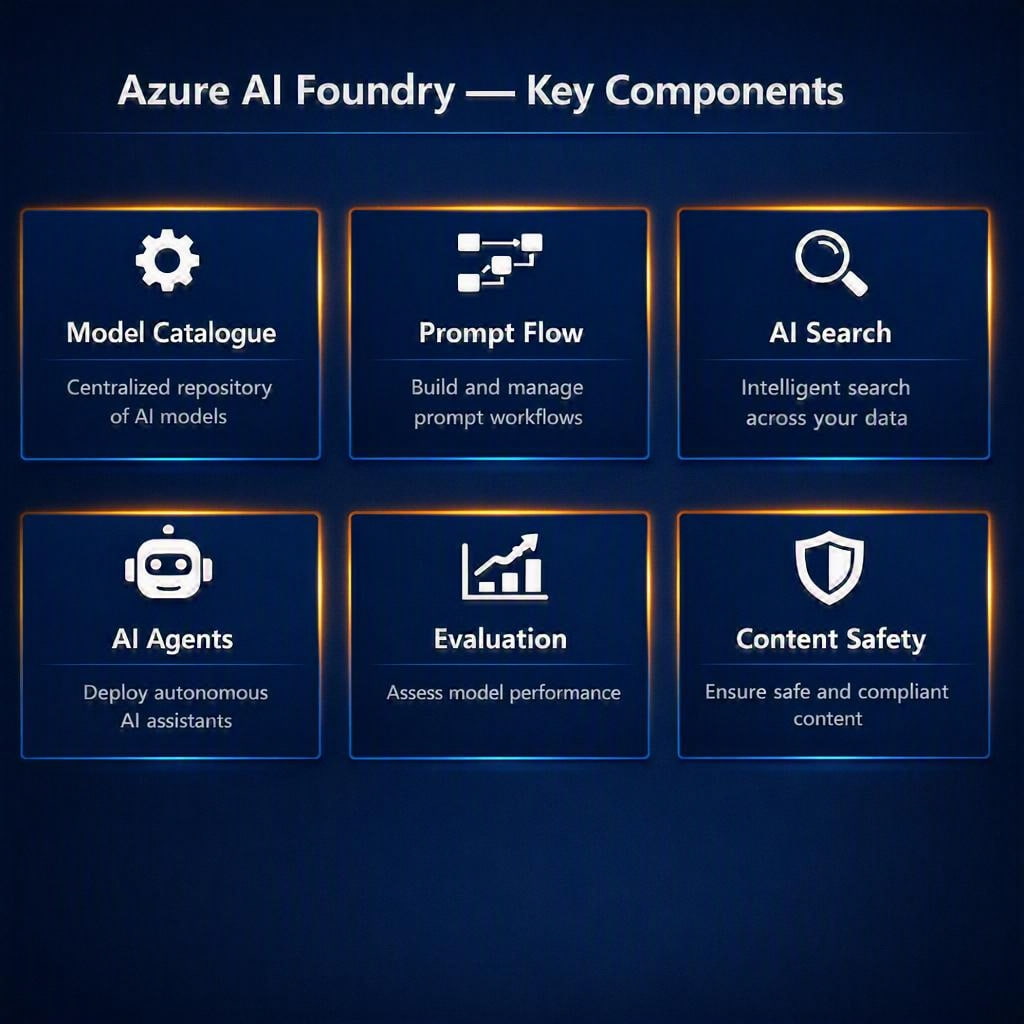
When you open Azure AI Foundry, you will see several core components:
Hub and Projects
Azure AI Foundry is organised into hubs (your organisation's top-level workspace) and projects (individual AI application workspaces within the hub). A hub manages shared resources like compute, storage, and connections. A project is where you actually build your AI application.
Model Catalogue
A searchable catalogue of AI models you can deploy — including OpenAI models (GPT-4, DALL-E, Whisper, Embeddings), open-source models (Llama, Mistral, Phi), and Microsoft's own models. You browse the catalogue, pick a model, and deploy it to your Azure subscription in minutes.
Prompt Flow
Prompt Flow is a visual tool for building and testing LLM-powered pipelines. You connect nodes — input, LLM call, search, output — in a flow diagram and test them interactively. It makes building RAG pipelines and complex AI workflows much easier than writing raw code.
Azure AI Search Integration
Azure AI Search is built into the Azure AI Foundry workflow. You can create a search index from your documents, enable semantic search and vector search, and connect it directly to your LLM — all from within the Foundry interface.
Evaluation
Once you have built an AI application, you need to measure how good it is. Azure AI Foundry's evaluation tools run automated tests across metrics like groundedness (does the answer match the source documents?), relevance, coherence, fluency, and safety. You can compare different versions of your application and track quality over time.
AI Agent Service
The Azure AI Agent Service within Foundry allows you to build autonomous agents with tools — Bing grounding (web search), code interpreter, file retrieval, and custom APIs. You define the agent's instructions, give it tools, and deploy it.
Content Safety
Azure AI Content Safety integrates into Foundry to filter harmful content — blocking hate speech, violence, self-harm, and explicit content from your AI outputs. You configure filter policies per project and can monitor flagged content over time.
Azure AI Foundry vs Azure Machine Learning — what is the difference?
This is one of the most common points of confusion — and one that appears in both AI-901 and AI-103 exam questions:
| Azure AI Foundry | Azure Machine Learning |
|---|---|
| For building AI applications using pre-trained models (LLMs) | For training your own custom ML models from data |
| Works with GPT-4, DALL-E, Phi, Llama, etc. | Works with your own training datasets and algorithms |
| Prompt flow, agents, RAG pipelines | AutoML, Designer, custom training jobs |
| AI developer tool — for app builders | Data science / ML engineering tool — for model trainers |
| Use when: you want to build with existing AI models | Use when: you have proprietary data and need a custom model |
How Azure AI Foundry appears in AI-901 and AI-103
Azure AI Foundry is tested in both exams — but at different depths:
In AI-901 (Fundamentals level)
AI-901 tests conceptual understanding. You need to know:
- What Azure AI Foundry is and what it does
- What the model catalogue is
- The difference between Azure AI Foundry and Azure Machine Learning
- What prompt engineering is and why it matters
- What responsible AI features are available in Azure AI Foundry
You do not need to have used Azure AI Foundry to pass AI-901 — but you do need to understand it conceptually.
In AI-103 (Developer level)
AI-103 tests applied knowledge. You need to know how to:
- Create and manage AI Foundry projects and hubs
- Deploy models from the model catalogue
- Build and test prompt flows
- Create and deploy AI agents with tools
- Build RAG pipelines connecting Azure OpenAI to Azure AI Search
- Run evaluations and interpret quality metrics
- Apply content safety policies
For AI-103, you need hands-on experience in Azure AI Foundry — not just conceptual knowledge.
How to get started with Azure AI Foundry for free
- Create a free Azure account — go to azure.microsoft.com/free. You get USD 200 in credits for the first 30 days plus a set of always-free services.
- Open Azure AI Foundry — go to ai.azure.com and sign in with your Azure account.
- Create a Hub and Project — follow the getting started wizard.
- Deploy a model — go to the Model Catalogue, find GPT-4o or Phi-3, and deploy it.
- Try the playground — once deployed, use the Chat Playground to test the model with your own prompts.
- Build a prompt flow — try one of the built-in templates to see how flows work.
Getting your first model deployed in Azure AI Foundry takes about 15 minutes with a free Azure account.
Why Azure AI Foundry is important for your career
Azure AI Foundry is not just an exam topic — it is a core skill employers are looking for in 2026. Here is why:
- Every major enterprise is building internal AI tools — customer support bots, knowledge assistants, document processors. Most are building them on Azure AI Foundry.
- AI developer roles are growing 40%+ year on year — demand for developers who can build with LLMs on Azure is outpacing supply.
- Microsoft Copilot is built on Azure AI Foundry technology — understanding the platform helps you understand, configure, and extend Copilot in enterprise environments.
- It differentiates you from traditional developers — most developers can build web apps. Far fewer can build AI-powered agents that reason and act autonomously. Azure AI Foundry gives you that skill.
Learn Azure AI Foundry as part of AI-901 and AI-103
SkillTech Club's AI-901 and AI-103 courses both cover Azure AI Foundry in depth — AI-901 at the conceptual level, AI-103 with hands-on practical exercises.
- AI-901 course — Azure AI Fundamentals including AI Foundry concepts
- AI-103 course — Full Azure AI Foundry practical training
Summary
- Azure AI Foundry is Microsoft's unified platform for building AI applications — the renamed and expanded Azure AI Studio
- You can build chat apps, RAG systems, AI agents, multi-agent pipelines, and multimodal applications
- Key components: Hub and Projects, Model Catalogue, Prompt Flow, Azure AI Search, Evaluation, Agent Service, Content Safety
- It is different from Azure Machine Learning — Foundry is for building with LLMs, Azure ML is for training custom models
- AI-901 tests conceptual knowledge; AI-103 tests hands-on practical use
- Start free with a free Azure account and ai.azure.com